Tutorial
Tutorial
How to set up your ibot on your chat
- Assign a (bot) power to your chat. To do so, type (bot) in the chat and click at the bot smiley and then on the “Assign” button.
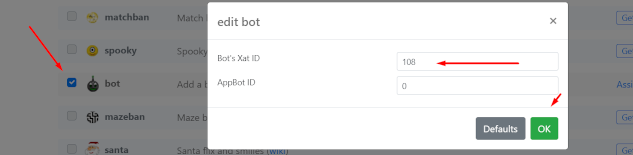
- Click on the "Edit Your Chat" button and scroll down until you see the BOT power, Now check the box that's located on the left side of the BOT power and click on "Update these options" button.
- Scroll down again until you see the BOT power and click on the "Edit" button. A new window will open up and now simply add the ibots ID to the Bot’s ixat ID field, which is: 108 and click “Ok”.
- Now click on the "Update these options" button again and we are finished for the chat setup part.
- As next create an account on our bot panel (here)
- Click at the “Create another button”
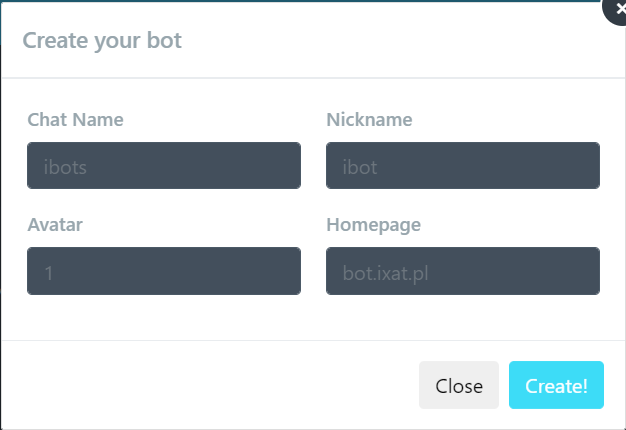
- Add your chat name on the top left and the appearance Information of your bot and press the “Create!” button.
- We’re done, your bot should now connect to your chat